Portable disk analyzer visualizing storage usage with colorful treemaps for quick cleanup decisions
Portable disk analyzer visualizing storage usage with colorful treemaps for quick cleanup decisions
Vote (3 votes)
Program license Free
Developer Windirstat
Version 1.1.8.0
Works under Windows
Vote
(3 votes)
Developer
Windirstat
Works under
Windows
Program license
Free
Version
1.1.8.0
Pros
- Completely free and open source
- Does not require installation and leaves no footprint
- Unique treemap visualization for easy understanding
- Supports analysis by folder and file type
- Customizable interface and options
Cons
- Scanning large disks may be slow
- No automated scheduling or cleaning tools
- Interface feels dated compared to modern applications
Powerful portable tool for visualizing and managing disk space usage.
Comprehensive Disk Space Analysis on the Go
WinDirStat Portable provides a clear view of how disk space is used across any Windows system, without the need for installation. Ideal for IT professionals, casual users, and those who handle storage maintenance on multiple computers, this utility scans drives and delivers a detailed breakdown of file and folder sizes.
Intuitive Interface with Treemap Visualization
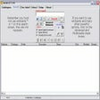
The application's interface organizes scan results into a directory tree, a file extension list, and a unique treemap display. The treemap’s colored rectangles offer immediate visual feedback, each one corresponding to a file or folder, with its size proportional to disk usage. This approach helps users quickly spot large files and directories that may need action, such as cleanup or archiving.
Detailed File Type Breakdown
WinDirStat Portable doesn’t just show folder sizes—it also analyzes file types and extensions, providing a summary that highlights which file formats take up the most space. This level of detail can be invaluable when searching for redundant files or media that can be safely removed.
No Installation, Minimal Footprint
Designed for portability, WinDirStat Portable can run from a USB drive or external storage device, making it perfect for administrators or users who need to manage disk space on multiple machines. It does not modify system settings or leave traces on the host computer, which adds peace of mind for privacy-conscious users.
Efficient and Customizable
The application supports scanning entire drives or specific directories, with scan progress displayed in real-time. Results are interactive—users can right-click items for context-specific actions such as opening the folder, moving files to the recycle bin, or accessing file properties. Custom color schemes and configurable display options allow for a personalized experience.
Performance and Reliability
WinDirStat Portable efficiently processes large drives, though scans of very full or fragmented storage devices may take some time. It remains lightweight on system resources, making it suitable even on older hardware.
Pros
- Completely free and open source
- Does not require installation and leaves no footprint
- Unique treemap visualization for easy understanding
- Supports analysis by folder and file type
- Customizable interface and options
Cons
- Scanning large disks may be slow
- No automated scheduling or cleaning tools
- Interface feels dated compared to modern applications